1. The invoice is the tip
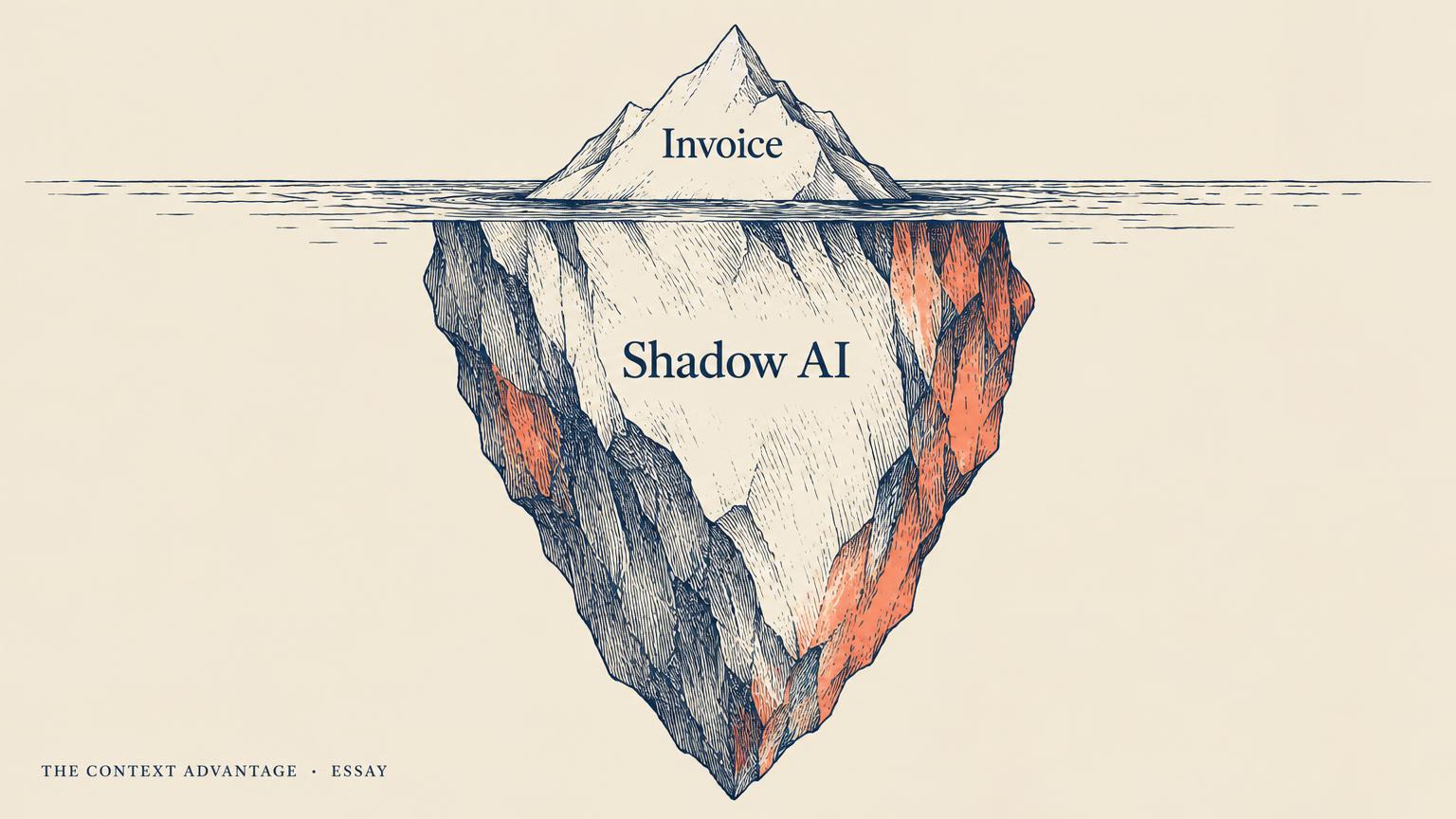
Ask a finance team what the company spends on AI and you will usually get one number: the invoice from the main model provider, perhaps plus the line for the enterprise copilot licence. Ask the engineering teams the same question and you get a shrug, then a list. The list is always longer than the invoice.
Consider an illustrative quarter, assembled from patterns platform teams describe again and again. The official model invoice is forty thousand dollars. Separately, two hundred copilot seats renew automatically, and usage logs show sixty of them have not been opened in ninety days. Eleven engineers expense personal API keys as 'software'. A data science notebook scheduled to summarise support tickets has been calling a frontier model every hour since spring. A marketing tool switched on an AI feature that bills per generation. None of this is fraud. All of it is invisible.
This is the shadow AI bill: spend that is real, recurring, and attached to no owner, no workflow, and no outcome. Chapter 18 calls the hidden cost of agentic AI the cost that arrives after the demo. The shadow bill is its organisational cousin. It is not hidden inside one agent. It is hidden across the company.
2. Why the usual budget review cannot see it
Traditional IT budgeting was built for things that are bought once and counted: servers, licences, seats. AI spend does not behave that way. It is metered, it is embedded inside other products, and it is often created by individuals rather than procured by a department. The Seat Is Dead. The Meter Is the Product. explains why vendors moved to usage pricing. The consequence for buyers is that cost now appears wherever usage appears, which is everywhere.
The budget review also looks at the wrong grain. It sees a vendor and an amount. It does not see the workflow that generated the calls, the person who owns the workflow, or whether the output was used. Without that grain, the only available lever is a blunt one: cut the vendor line by twenty percent and hope. That punishes the teams that are getting value and leaves the forgotten notebook running.
Finally, nobody is incentivised to look. Engineers are rewarded for shipping, not for turning things off. Business teams see AI features as free because they arrive inside tools they already pay for. Finance sees the totals rise but cannot ask a sharper question than 'why is this bigger?' The shadow bill grows in the gap between those three groups.
3. The four leaks
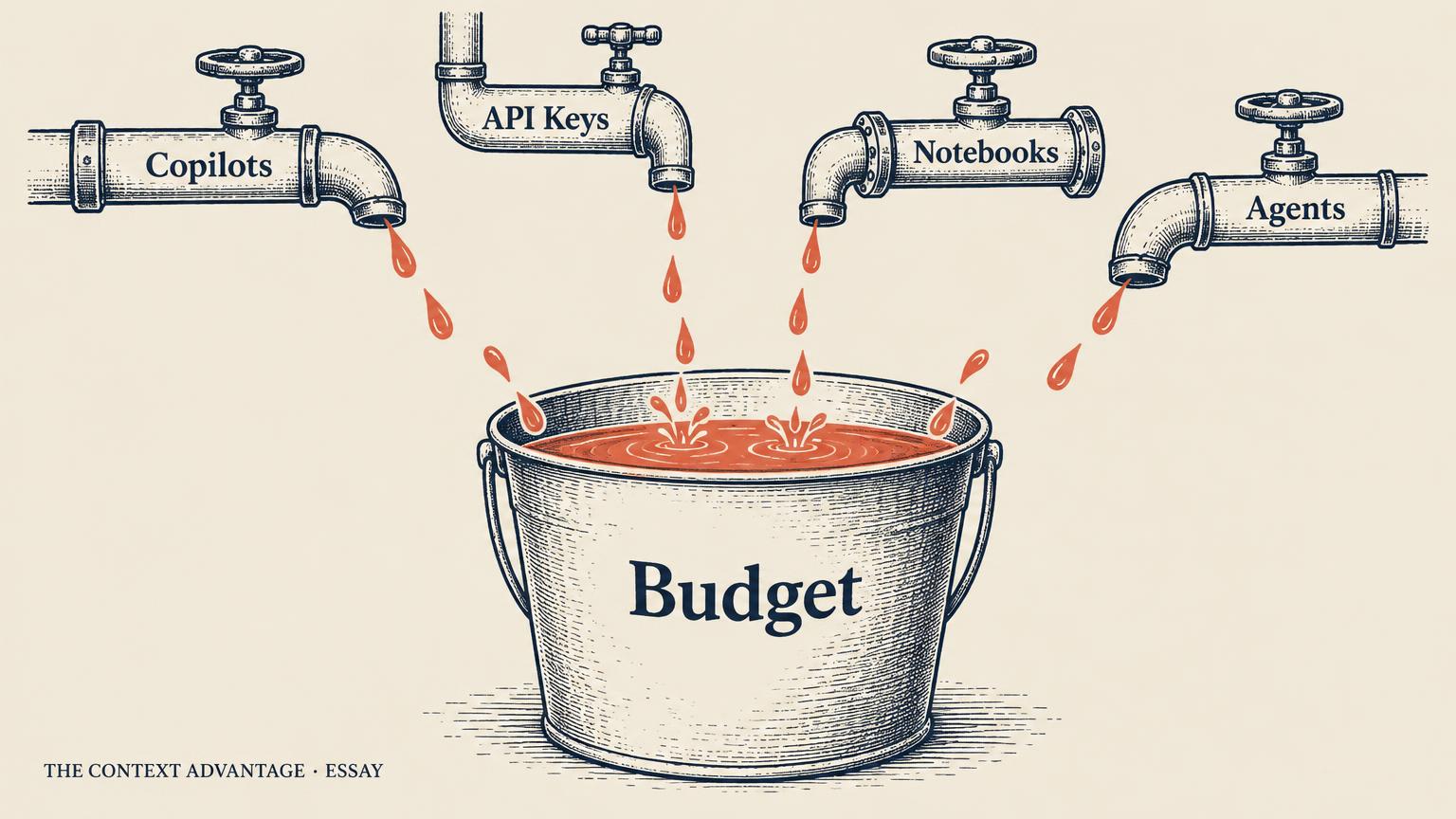
Shadow spend is not one problem. In most organisations it comes through four distinct leaks, and each needs a different fix.
**Leak one: idle seats.** Per-user copilot and assistant licences are bought in bulk during enthusiasm and renewed in silence. The tell is a large gap between seats paid and seats active. The fix is simple and unglamorous: an activity threshold, a reclaim process, and a renewal that is sized to measured use rather than headcount.
**Leak two: personal and team keys.** Engineers who want to move fast create their own API keys and put them on a card. Each key is small. Together they are a second, unmanaged AI budget with no logging, no data controls, and no rate limits. This is also a Control problem, because traffic on a personal key bypasses every guardrail the platform team built, a point Your Agent Needs an Identity, Not a Password makes about credentials generally.
**Leak three: unattended automation.** Scheduled notebooks, batch jobs, and long-running agents that call models on a timer. They are the most expensive leak per item, because they never get tired and nobody watches them. The tell is steady spend with no human session attached.
**Leak four: embedded features.** AI capabilities switched on inside SaaS products you already use, billed per action or bundled into a higher tier. These rarely appear as AI on any report. They appear as a price increase from a vendor nobody thinks of as an AI vendor.
4. The real damage is not the money
It is tempting to treat shadow spend as waste to be trimmed. The money matters, but it is not the biggest cost. The biggest cost is that the organisation cannot answer the question every AI strategy eventually faces: what is this worth?
If spend is not attached to workflows, you cannot calculate cost per correct outcome, the metric Every Agent Needs a P&L builds an entire accounting model around. You cannot tell the agent that saves forty analyst hours a week from the notebook that summarises tickets nobody reads. So when budgets tighten, both get cut equally, and the company loses its best AI investment along with its worst.
There is a Choice cost too. Spend that is scattered across personal keys and embedded features is spend you cannot move. When a better or cheaper model arrives, you can switch the traffic that flows through your platform. You cannot switch traffic you do not know exists. Chapter 22 on the danger of lock-in describes how dependence accumulates quietly. Shadow AI is one of the quietest ways it does.
And there is a Context cost. Every unmanaged call is a place where business data left the building with no record of what was sent. The visibility you need for cost is the same visibility you need for governance.
5. Step one: one front door for model traffic
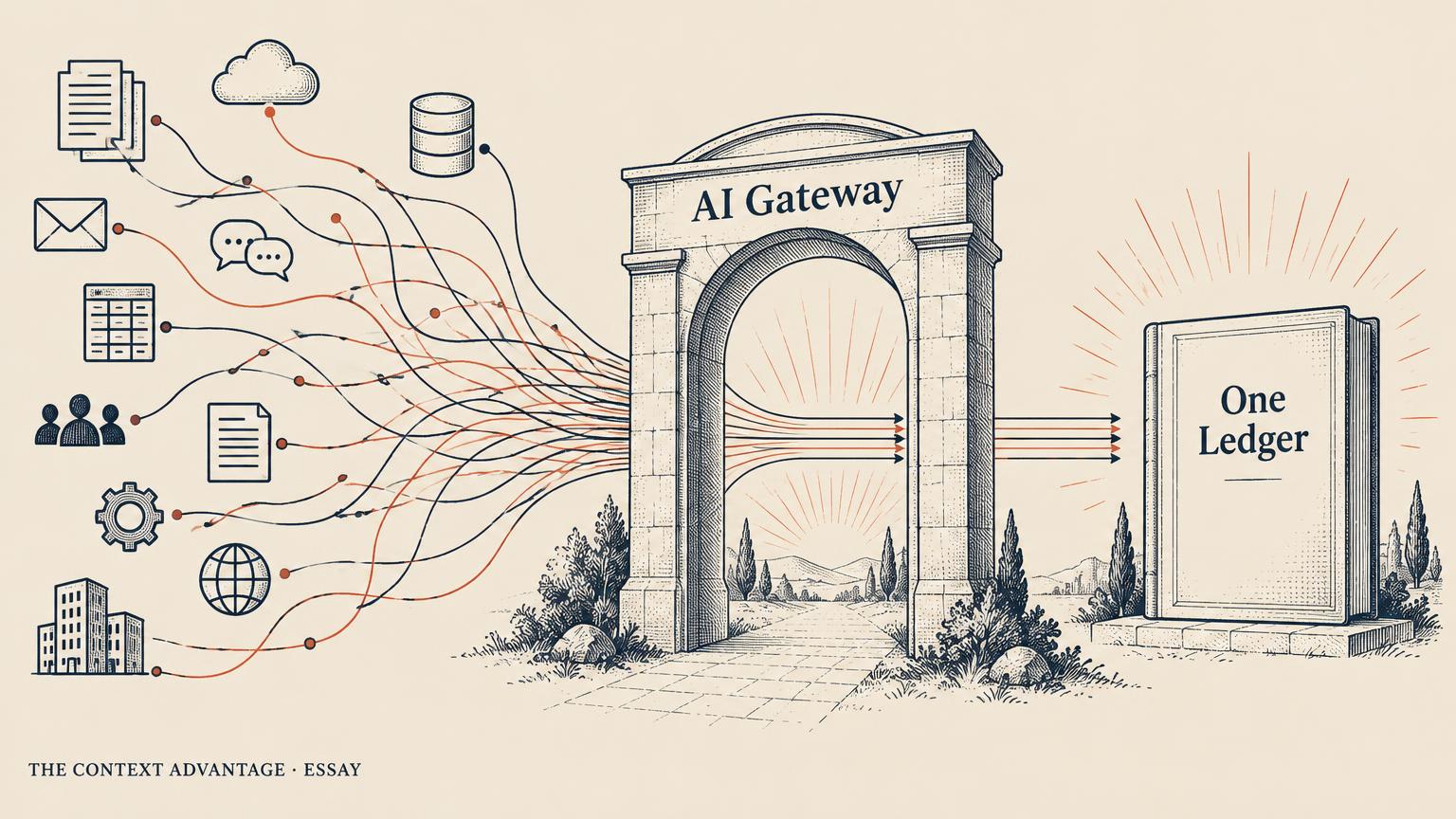
You cannot attribute what you cannot observe, so the first move is architectural. Route model calls through a single gateway that every team uses: one place that holds the provider credentials, logs every request, and applies rate limits and budgets. Teams stop holding raw provider keys. They hold a gateway credential tied to their identity and their project.
This is not a new idea for a data platform team. It is the same pattern as a governed warehouse endpoint or a central API gateway, applied to models. It also solves problems beyond cost. The gateway is where you swap providers without touching application code, which is the heart of The Model Router, and where you enforce the platform-aware, platform-independent stance of Chapter 25.
Do not try to force everything through on day one. Start by making the gateway the easiest path: pre-approved models, no procurement wait, better limits than a personal key. Then set a date after which new personal keys are not reimbursed. Adoption follows convenience far more reliably than it follows policy.
6. Step two: tag every call
A gateway that logs calls without context gives you a bigger pile of numbers. What turns logs into a ledger is tagging. Every request should carry, at minimum, four tags: the owning team, the named human owner, the workflow or product it serves, and the environment, such as development or production.
The named owner matters most. The Agent Org Chart argues that every piece of context needs a named human; the same is true for every stream of spend. A cost with an owner gets questioned. A cost without one gets renewed.
Make tags mandatory at the gateway, not optional in the client. Requests without a valid workflow tag should be rejected in production and warned in development. This feels strict for a week and then becomes invisible, the same way required fields in a ticketing system do. If you already run a data catalog, reuse its project and owner identifiers rather than inventing a parallel list, which keeps cost data joinable with everything else you know about the workflow, as Chapter 8 describes for business memory.
7. Step three: showback, then chargeback
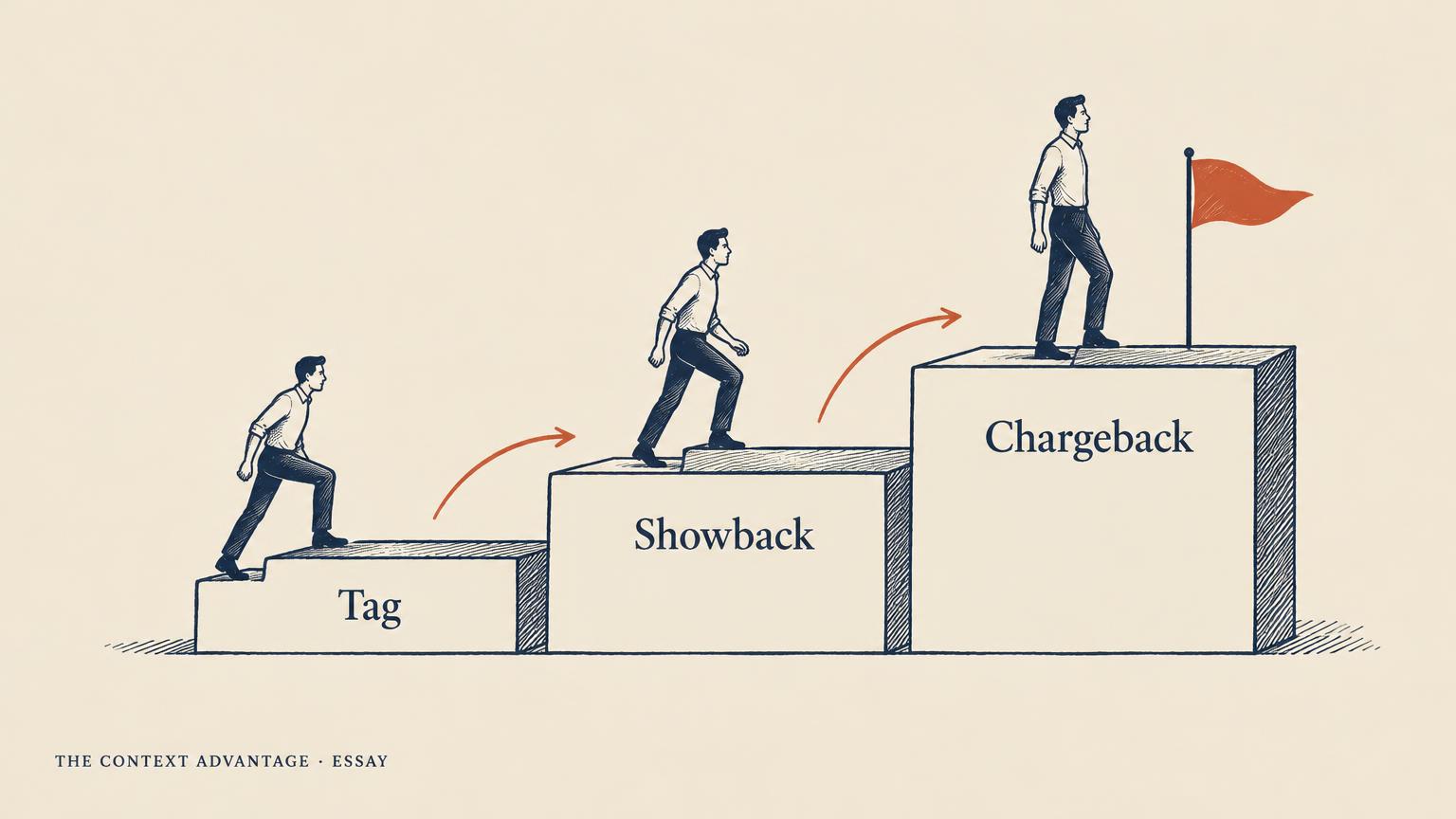
Once calls are tagged, publish the numbers. Showback means each team sees its own AI spend, broken down by workflow, every week, without being billed for it. This alone changes behaviour. Teams discover the scheduled job they forgot, the development environment calling the most expensive model, the prompt that sends the same forty-page policy on every request, which The KV Cache Discipline shows how to fix.
Showback should pair cost with outcome wherever possible. A line that reads 'support summariser: $3,100 this month, 412 summaries opened' invites a very different conversation from one that reads '$3,100'. Chapter 21 on quality, speed, and cost tradeoffs gives the vocabulary for that conversation.
Chargeback comes later, once the numbers are trusted. Teams carry their AI spend in their own budgets, with a platform overhead for the gateway itself. Move to chargeback too early and teams will dispute the data instead of acting on it. Move too late and AI stays a central cost that everyone uses and nobody defends. A good signal that you are ready: teams start asking for their showback report before it is sent.
8. Step four: claim it or lose it
Every audit turns up spend that nobody will own. Treat that as a decision, not a mystery. Run a quarterly claim window: publish every untagged or ownerless stream of spend, give teams two weeks to claim it, and switch off whatever is unclaimed. Keep the configuration so it can be restored in minutes if someone appears.
Apply the same rule to seats. Licences inactive for sixty days return to a pool. Apply it to automation: scheduled jobs that call models need an owner and an expiry date, renewed deliberately. And apply it to embedded features: before a vendor renewal, ask which AI features are on, who asked for them, and what they produced.
None of this needs a large FinOps team. It needs one platform owner with a gateway, a tagging rule, a weekly report, and the authority to turn things off. Chapter 20 on budget-aware AI design treats limits as a design input rather than an afterthought. The claim window is how that principle reaches the parts of the company that never read a design document.
9. What good looks like
After two quarters, a company that has done this well can answer five questions in one meeting: what we spend on AI in total, which ten workflows account for most of it, who owns each one, what each one produces, and which provider each one depends on. Most companies today cannot answer the first.
Notice that the goal is not the lowest possible bill. Several of the most valuable workflows will cost more once they are visible, because teams will finally fund them properly. The goal is an honest bill, one where every dollar has a name, a purpose, and a result attached. That is what lets you spend more on what works with confidence, which is the real promise of the Cost pillar in Chapter 4.
10. The shadow AI audit
Use this as a starting checklist. Each item should take hours, not weeks.
**1.** List every AI vendor on the books, including SaaS tools that added AI features this year.
**2.** Compare paid copilot seats with seats active in the last sixty days.
**3.** Search expense reports for model provider charges on personal or team cards.
**4.** Inventory scheduled jobs, notebooks, and agents that call models without a human session.
**5.** Stand up, or confirm, one gateway that holds provider credentials and logs every call.
**6.** Require team, owner, workflow, and environment tags on every production request.
**7.** Publish a weekly showback report per team, pairing spend with an outcome measure.
**8.** Run a two-week claim window and switch off unclaimed spend, keeping configuration for restore.
**9.** Set per-workflow budgets and alerts at the gateway, enforced in code rather than in policy documents.
**10.** Review the top ten workflows quarterly for cost per correct outcome and provider dependence.
Reader question: if your CFO asked tomorrow which three AI workflows you would protect in a budget cut, could you name them, their owners, and their cost? If not, start with item five.
"You cannot optimise a cost you cannot see, and you cannot see a cost that nobody owns."
Cost is the third of the four C's in The Context Advantage. Chapter 18 covers the hidden cost of agentic AI, Chapter 19 explains why not every task needs the best model, Chapter 20 covers budget-aware design, and Chapter 21 the tradeoffs between quality, speed, and cost. Start with the free chapters at [/context-advantage/book](/context-advantage/book), or unlock the full book at [/context-advantage/buy](/context-advantage/buy).
Explore the book →